What does AI agent integration mean for an ERP?
AI agents can help ERP teams gather context and prepare bounded actions across business systems. Keep the ERP authoritative, enforce permissions outside the model, and expand autonomy only when measured results and controls support it.
An AI agent connected to an enterprise resource planning (ERP) system can interpret a business request, gather permitted context, select from approved tools and prepare or perform a defined action. Unlike a conventional report, it may help move work across multiple steps. Unlike a conventional automation, it can use a model to interpret less structured inputs and decide which permitted step is relevant.
That flexibility can be useful, but it does not make an agent a replacement for the ERP's rules, records or accountable decision-makers. The ERP should remain the system of record, with business logic and access controls enforced outside the model. The strategic question is where a bounded agent can improve an operating outcome without weakening control.
For executives, a sensible starting point is a workflow with visible friction, such as repeated manual preparation or exceptions that require gathering context.
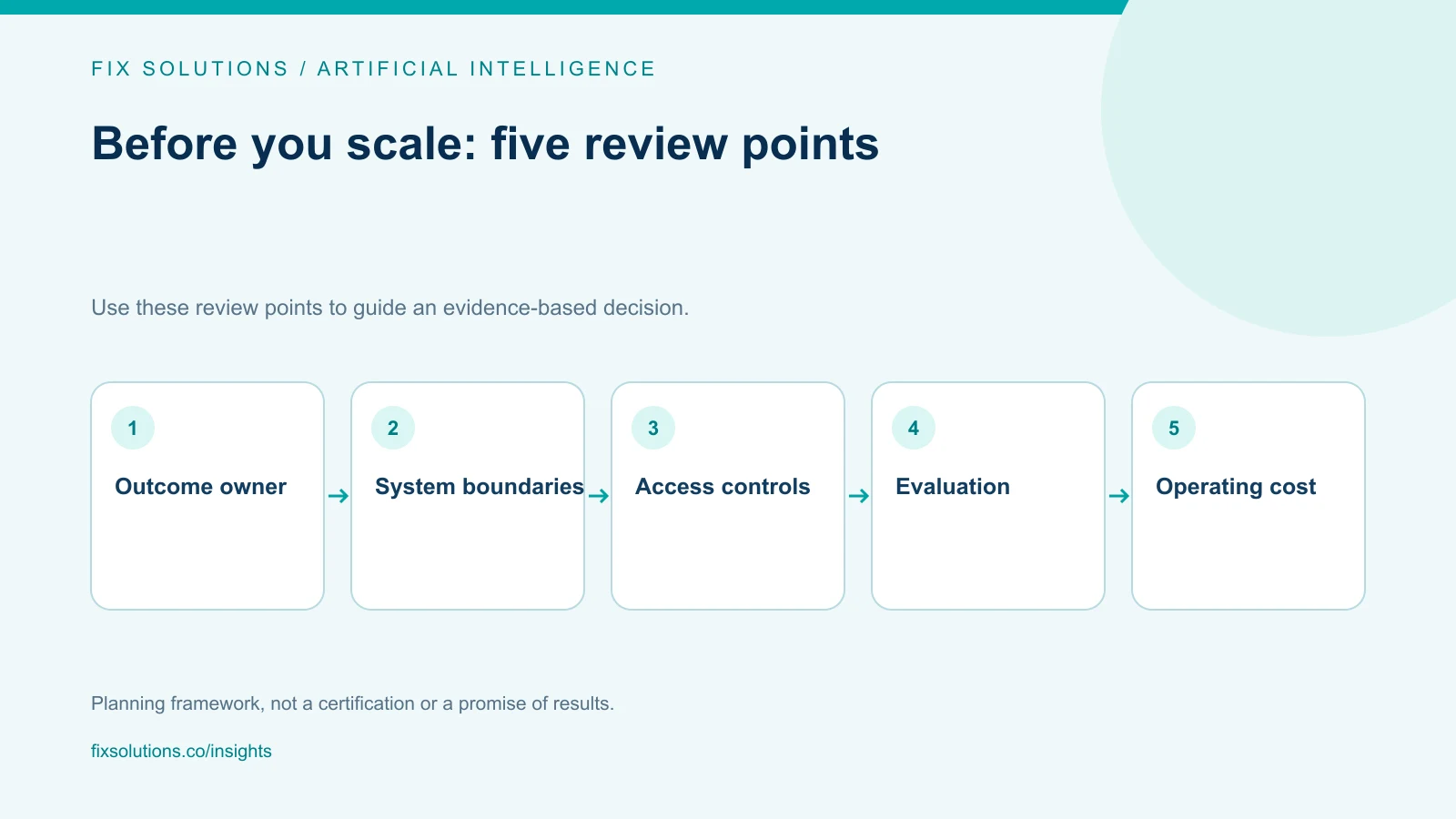
Start with the business constraint
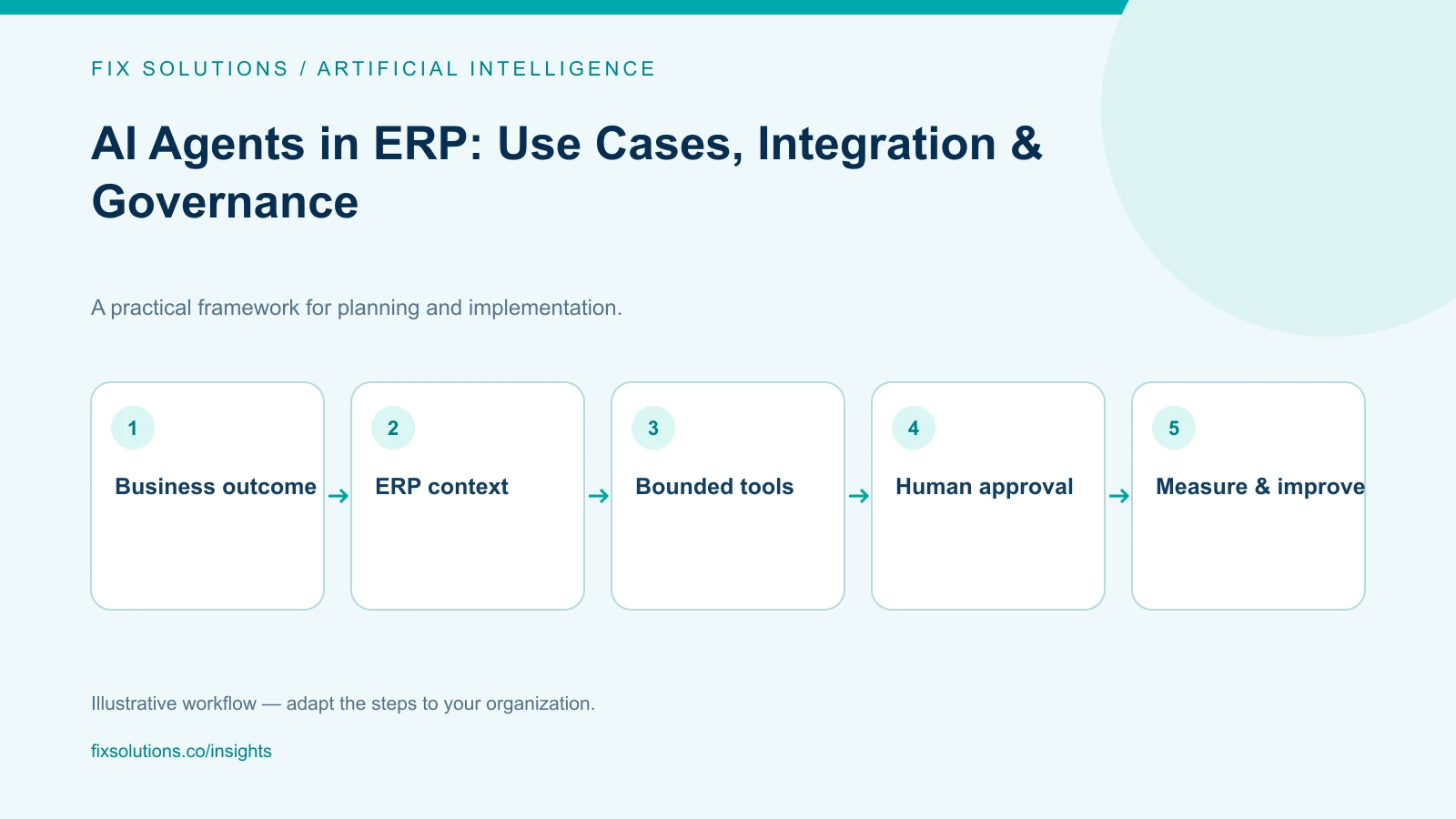
Before selecting a model or vendor, describe a measurable problem. For example: “Reduce the time required to prepare an order exception for review, without increasing incorrect approvals.” Identify the outcome owner, success criteria and current baseline.
This framing distinguishes an AI opportunity from a process or data problem. If teams disagree about customer ownership or approval policy, an agent may reproduce that inconsistency more quickly. Clarifying definitions may create more value than introducing a model.
Early candidates often combine repetitive information gathering with human-led judgment:
- Assemble relevant order, customer and inventory context for an employee.
- Draft a response to a supplier query using approved procurement records.
- Summarize an invoice discrepancy and suggest the next review step.
- Prepare an ERP update for approval after checking required fields and evidence.
These are examples, not promises of automation. Releasing a payment, changing supplier bank details or approving a credit exception needs a specific risk assessment and may be unsuitable for autonomous execution.
Define the integration boundary before the pilot
An ERP environment may include finance, procurement, inventory, customer management and older line-of-business software. Data ownership, interfaces and transaction rules can differ, so a pilot should make system boundaries explicit.
Keep the ERP authoritative
The agent should retrieve information through approved interfaces and submit a narrowly defined request to a business service. The ERP or integration layer should validate identity, authorization, required fields and transaction rules. The model can prepare a proposal; it should not decide whether a transaction is valid.
This separation supports auditability: record the request, retrieved context, proposal, validations and approval or execution. Define the required trail during design.
Give each tool a limited contract
Avoid broad database access or general-purpose credentials. Expose purpose-specific actions such as “read order status” or “create a draft adjustment request.” Enforce authorization at the service boundary for every operation.
Tool contracts should define valid inputs, outputs, failure responses and whether an operation is read-only, draft-only or capable of committing a change. Limit returned data, task duration and cost.
Design for imperfect information
ERP data may be incomplete, stale or inconsistent. The agent should report missing evidence rather than manufacture an answer. Preserve source identifiers where possible, and distinguish retrieved facts from generated content.
Plan retries and timeouts: an unclear result can lead to duplicate transactions unless requests are idempotent.
Roll out in stages, not in slogans
A useful pilot limits business scope and authority:
- Read and summarize: retrieve authorized ERP context and provide references; do not write to business records.
- Draft: prepare a proposed note or update for a person to review.
- Approved action: submit a specific, validated change only after an authorized person confirms it.
- Narrow automation: consider automatic execution only for a low-impact action with clear conditions, monitored outcomes and a tested recovery route.
Not every workflow should advance through every stage. Human approval may remain the right design for consequential actions.
Before a pilot, define process, technical and data owners, plus an escalation route. Choose measures such as completion time, correction rate, exceptions, adoption and cost per case. A single “time saved” measure can hide rework or transferred workload.
Govern the system as an operating capability
Governance defines who can use the agent, which records and tools it can access, which actions require approval, how outputs are evaluated and how the service is monitored.
Test real examples, including ambiguous requests, missing or conflicting data, unauthorized users and outages. Review safe failures and assess errors by consequence, not only average accuracy.
Treat retrieved documents and user text as untrusted information, not instructions that can change permissions. Enforce authorization in the application and connected systems. Keep incident evidence consistent with privacy and retention policies.
The NIST AI Risk Management Framework offers a voluntary structure for organizing AI risk work across governance, context, measurement and management. It can help leadership ask who owns a system, what risks matter in its intended use and how performance should be monitored. It does not replace sector-specific obligations, security review or legal advice.
Make the business case about durable growth
Build the business case around improved capacity, service or decision quality—not a generic promise to reduce headcount. Estimate integration, data preparation, model use, security, monitoring, support and maintenance costs.
Measure outcomes and correction effort against a baseline. Repeated rewriting may reveal a process or data-quality problem.
Make the integration reversible and document how employees continue work if it is unavailable.
A leadership checklist
- Is the workflow outcome measurable and owned by a business leader?
- Are the system of record and data owners clear?
- Can access be enforced independently of the model?
- Are read, draft and write actions separated?
- Can employees see the sources and approve consequential actions?
- Have exceptions, retries and recovery been tested?
- Does the business case include ongoing operating and governance costs?
- Is there evidence to justify expanding the scope?
Frequently asked questions
Does AI agent integration replace ERP workflows?
Usually, the agent should work within and around existing governed workflows, not replace the ERP's authoritative records or validation rules. It may help people find context, prepare work or initiate a bounded action through approved services.
Should an ERP agent be allowed to update records automatically?
Only when the action is narrowly defined, appropriately authorized, validated independently of the model and demonstrably low risk for the intended use. Begin with read-only or draft modes; keep approval for actions with material financial, legal or operational consequences.
How should a company choose its first ERP agent use case?
Choose a workflow with a clear owner, observable baseline, accessible data and a meaningful but bounded outcome. Prefer reducing information-gathering friction before automating irreversible decisions.
Sources and further reading
Next step
Map one workflow, its system boundaries and its current operational baseline before selecting a model. FIX Solutions can help leadership assess the use case, integration approach and controls needed for a practical ERP and AI roadmap.