An AI driven hack is a cyberattack in which artificial intelligence helps an attacker perform tasks such as researching a target, creating deceptive messages, analyzing software, or coordinating actions.
For business leaders, the practical concern is how quickly attackers can turn publicly available information and existing security weaknesses into opportunities.
The UK’s National Cyber Security Centre assesses that AI will make elements of cyber intrusion more effective and efficient. Businesses need to review how well their security controls withstand faster, more scalable attacks. NCSC assessment
This guide explains how AI combines with traditional hacking, how an attack can develop, and where to focus prevention and defense.
What Is an AI Driven Hack?
In this article, “AI driven hack” describes attacks that use AI to assist or automate part of the process. Related terms include AI-assisted hacking, AI-enabled cyberattacks, and AI-powered attacks.
The level of automation varies. A person may use AI to improve a phishing message, while an agent-based system may coordinate several tasks with access to external tools. The label alone does not establish that an attack operated autonomously.
It also helps to separate two questions:
- Is the attacker using AI? AI may support an attack against an ordinary email account, application, or network.
- Is an AI system being attacked? The target may be an assistant, model, or connected AI workflow.
Both deserve attention when a business introduces AI into its operations.
How AI Combines With Traditional Hacking
AI can support familiar attack methods by reducing the effort needed to research, prepare, and adapt an attack.
| Combination | Potential role of AI | Business exposure |
|---|---|---|
| AI and social engineering | Develop convincing messages tailored to a role or situation | Fraudulent requests and credential theft |
| AI and reconnaissance | Organize information about people, systems, and organizations | More targeted approaches |
| AI and software analysis | Assist with understanding code and investigating weaknesses | Applications with unresolved vulnerabilities |
| AI and automation | Coordinate repetitive tasks and process results | Increased pressure on detection and response |
The NCSC’s assessment identifies growing AI-enabled intrusion capabilities and warns that insufficient cybersecurity creates opportunities for attackers. The defensive priority remains closing the weaknesses those capabilities can exploit. NCSC assessment
How an AI Driven Hack Works
The following is an illustrative scenario, rather than a report of a specific incident.
Imagine a company introducing a new customer portal. Its launch announcement names the implementation partner and several employees involved.
An attacker could use that context to prepare a convincing message about a supposed portal access problem. The message directs an employee to a fraudulent sign-in page.
If the employee provides credentials and the company’s authentication controls fail to stop their misuse, the attacker may gain access. The damage then depends on what that account can reach and how quickly suspicious activity is detected.
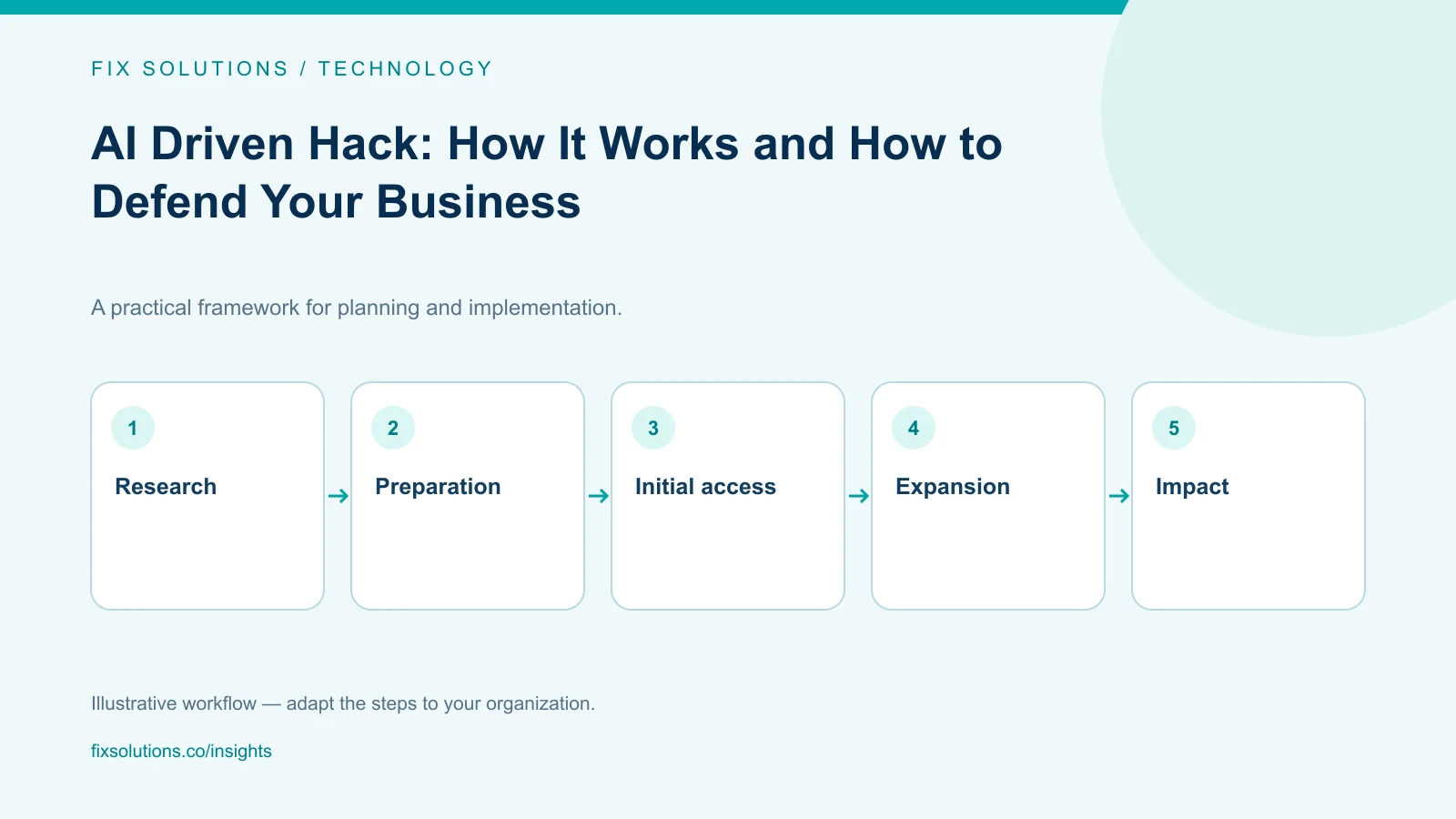
This scenario has several stages:
- Research: Gather information about the business and its workflows.
- Preparation: Create a plausible pretext and deceptive content.
- Initial access: Attempt to exploit a person, account, or technical weakness.
- Expansion: Seek additional access or permissions.
- Impact: Pursue data theft, fraud, disruption, or another objective.
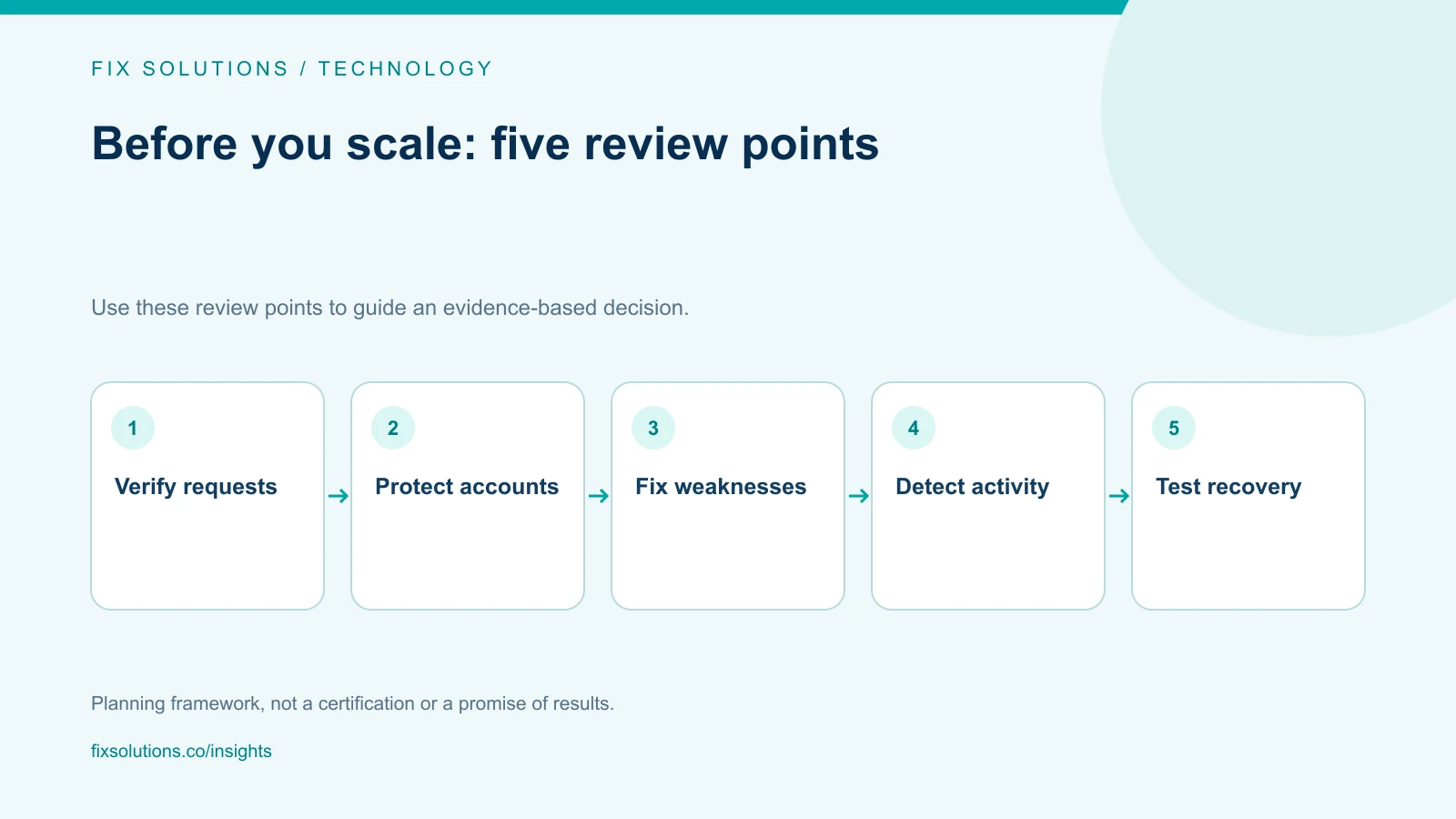
Each stage creates a defensive opportunity. A verified request, stronger authentication, restricted permissions, or an actionable alert could interrupt the sequence.
How to Prevent AI Driven Hacks
Strengthen authentication
Prioritize phishing-resistant authentication, such as appropriately configured FIDO2 security keys or passkeys, for email, administrator accounts, and critical applications.
Review account recovery and help-desk reset procedures as well. An attacker should not be able to bypass strong authentication through a weak recovery process. OWASP authentication guidance
Fix exposed weaknesses
Maintain an inventory of internet-facing applications and services. Assign owners, set remediation deadlines based on risk, and retire unsupported technology.
Reduce standing administrator access and remove unused accounts. These measures address common opportunities for intrusion and limit what a compromised account can do. FBI cyber resilience guidance
Make verification part of sensitive workflows
For payment changes, credential resets, and sensitive data requests, establish an independent verification step.
For example, staff should confirm a supplier’s bank-account change using a previously verified contact method. Contact details supplied within the change request should not serve as the verification source.
Give employees a clear reporting route and permission to pause an urgent request while checking it.
Keep security training practical
Train staff around the decisions they make: opening a shared document, approving access, handling customer information, or changing payment details.
Use examples relevant to their work and refresh training as risks change. The FTC recommends regular staff training alongside software updates, backups, and access protections. FTC business cybersecurity guidance
Defense Strategies: Prepare for Prevention to Fail
Prevention reduces risk. A defense strategy also needs to address detection, containment, and recovery.
The six functions in NIST Cybersecurity Framework 2.0 provide a useful structure:
| Function | Practical question for your business |
|---|---|
| Govern | Who owns cybersecurity decisions, priorities, and exceptions? |
| Identify | Which systems, data, suppliers, and workflows matter most? |
| Protect | Which safeguards restrict access and reduce exposure? |
| Detect | Which events trigger an alert, and who investigates? |
| Respond | Who can contain an incident and coordinate communications? |
| Recover | How will essential services and data be restored? |
Use these questions to expose gaps between purchasing security tools and operating an effective security program. NIST CSF 2.0
For operational readiness, preserve useful security logs, maintain protected backups, and test restoration. Practice an incident scenario with the people responsible for technical containment, business operations, and communications. FBI cyber resilience guidance
How FIX Solutions Can Support Your Defense Strategy
The right starting point depends on whether your main exposure sits in software quality, infrastructure, or an AI-enabled workflow.
Quality Engineering and Security Testing
For businesses releasing applications or maintaining existing platforms, FIX Quality Engineering services include security testing, static code analysis, dependency checks, and CI/CD quality gates.
An engagement can focus on validating important user journeys, documenting security findings, and verifying fixes before release. This is particularly relevant when authentication, permissions, and integrations change frequently.
IT Development and Modernization
When weaknesses require engineering changes, FIX IT Development services cover application development, enterprise integration, cloud and DevOps engineering, and legacy modernization.
This provides a route from identifying a problem to improving the affected application, integration, or operating environment. The scope should define the systems involved, required controls, and evidence needed to verify the work.
AI Development With Defined Controls
Businesses introducing assistants or agents also need to review the access those systems receive.
FIX AI Development services cover AI readiness, authorized knowledge retrieval, supervised agents, evaluation, and monitoring. These capabilities can help teams design workflows with clear data boundaries, tool permissions, and human approvals.
The controls should reflect the consequences of an action. An assistant summarizing approved documents needs different permissions from an agent that can modify records.
Choose Your First Security Improvement
Start with one important workflow: an administrator signing in, a customer accessing the portal, or an employee approving a payment.
Identify what could go wrong, which control should stop it, and how you would know that control worked.
Talk to FIX Solutions about your application, infrastructure, or AI workflow. Discuss a focused assessment and agree on the engineering or testing work needed to address the findings.